Floor plan with viewing direction
On the floor plan, visitors see which room they are in and which way they are looking. Upload the floor plan as an image or PDF.
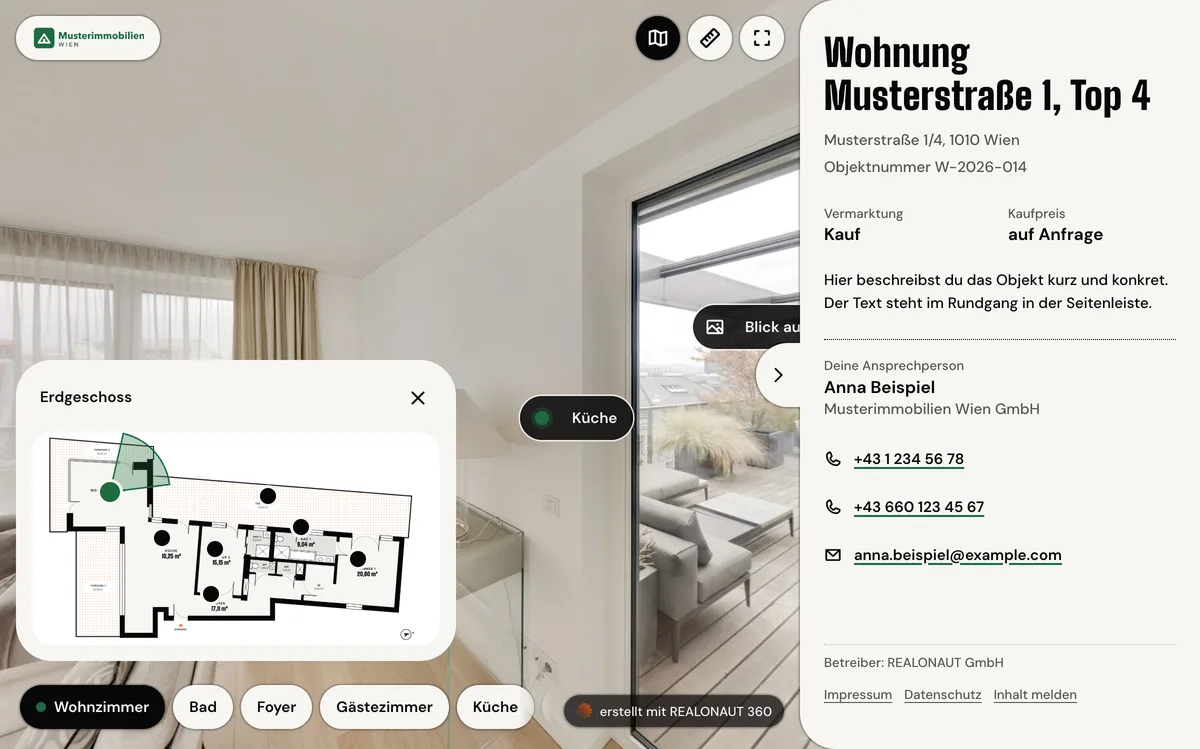
Prospects walk through the property online first. Whoever enquires afterwards already knows the layout, the light and the condition.
1 tour free · no credit card · no commitment · from €29 net per month
In use at, among others
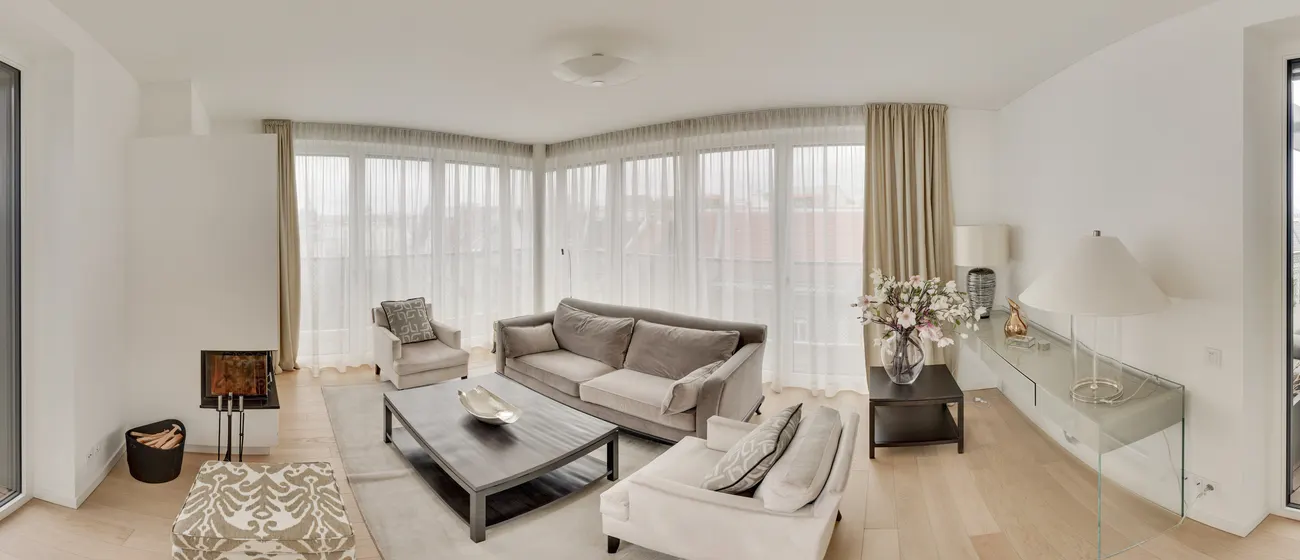
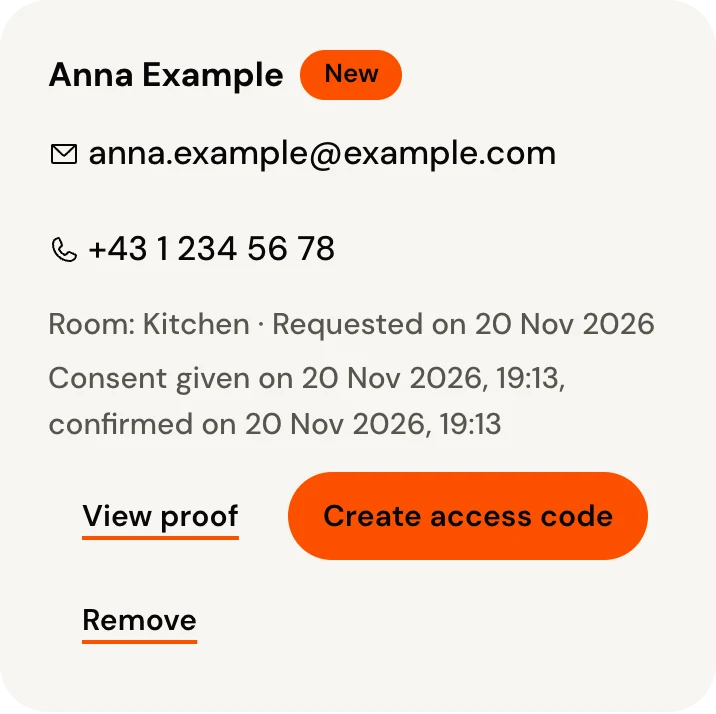
Your tour answers the first questions before anyone calls. The virtual viewing also works for people searching from further away.
| Without a tour | With a tour | |
|---|---|---|
| Before the call | Photos that don’t show the bathroom. | Layout, light and condition are known. |
| On the phone | The question about the layout. | Questions about moving in and financing. |
| At the viewing | Over after two minutes. | The people who come already know it suits them. |
Photographed today, online today.
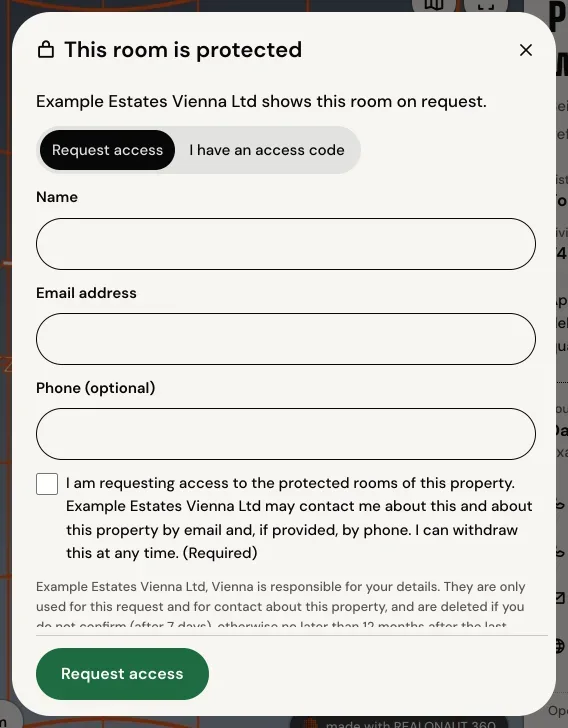
A tour brings in lots of views. But whoever watches it stays anonymous. Locked rooms change that.
You lock individual rooms, for example the bedroom, bathroom or roof terrace. Anyone who wants to see them requests access with their name and email address and confirms that you may contact them about this property.
Our tip: leave the living room and kitchen open and lock the room everyone wants to see. From Solo.
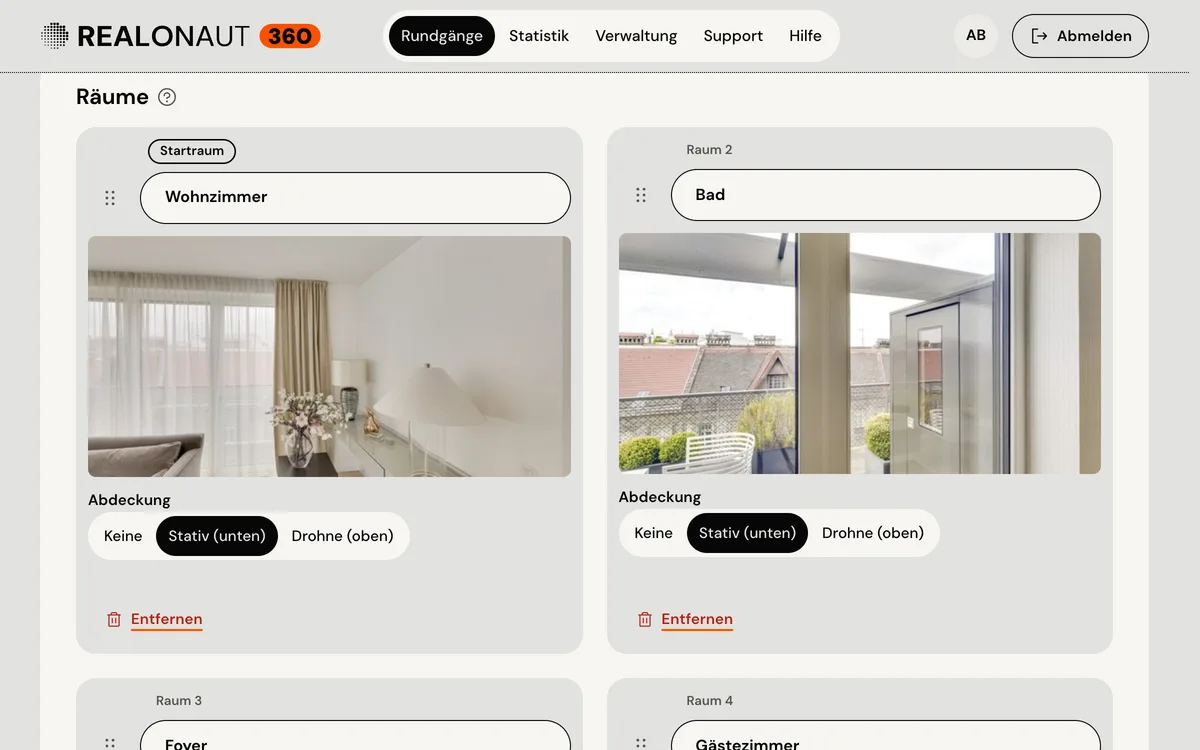
Upload the 360° photos from your camera. Each photo becomes a room, and you change the order by drag and drop.
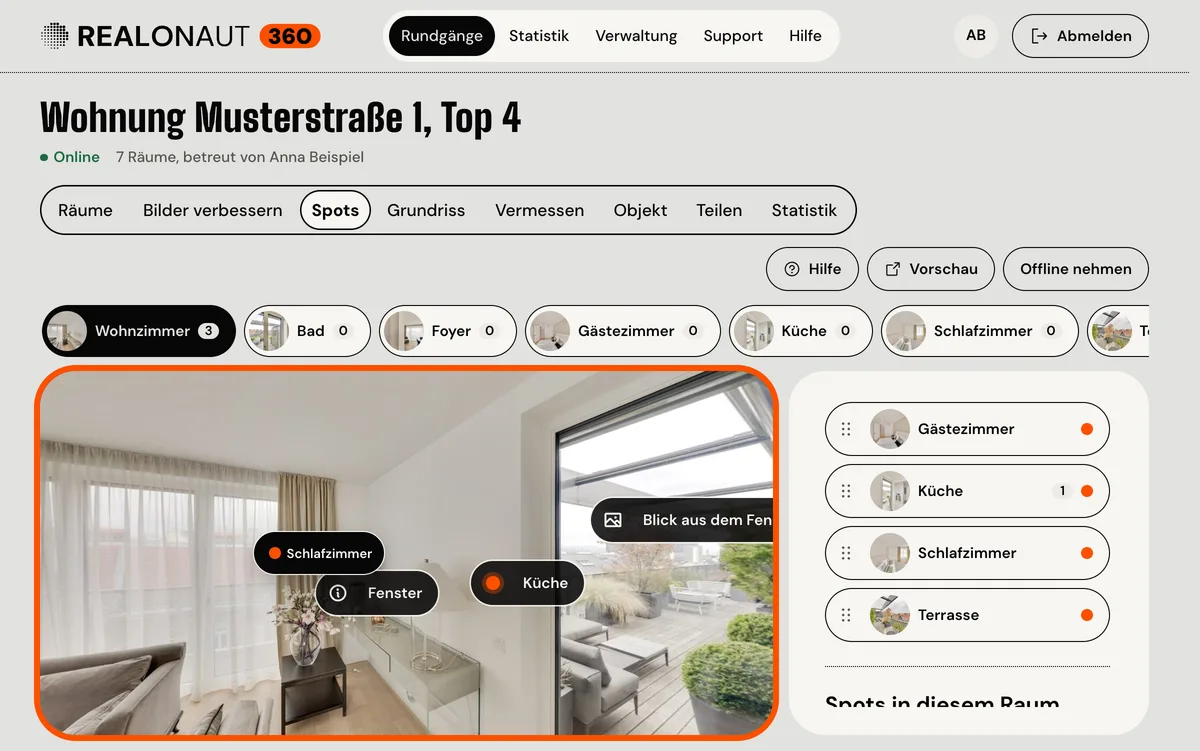
In each room, place the spots that lead to the next ones. Simply drag the room into the 360° view. You add information and detail photos the same way.
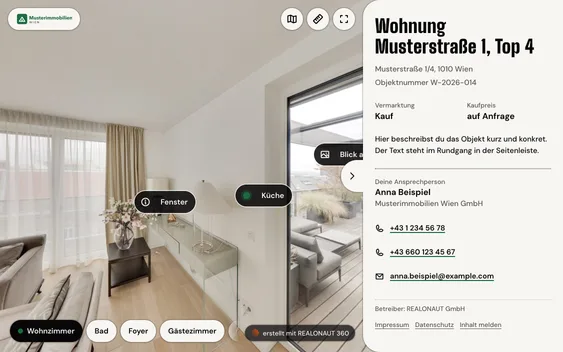
Send the link by WhatsApp or email, with a preview image, or add the tour to your website with a short code. It adapts to every screen, from phone to large monitor.
1 tour free · no credit card · no commitment · from €29 net per month
On the floor plan, visitors see which room they are in and which way they are looking. Upload the floor plan as an image or PDF.
Visitors measure lengths on the floor directly in the tour. Every value is shown with its tolerance.
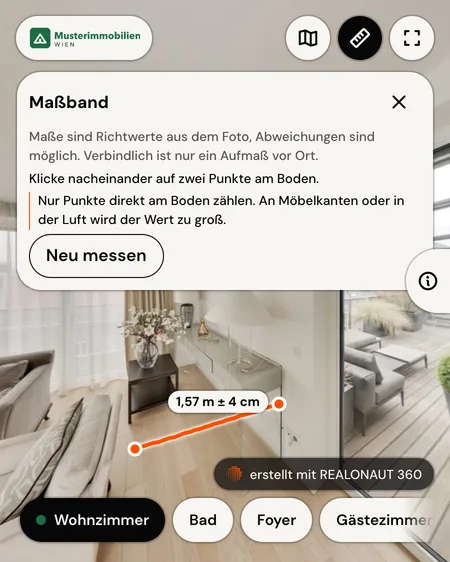
Measurements are estimates from the photo and may differ. Only a measured survey on site is binding.
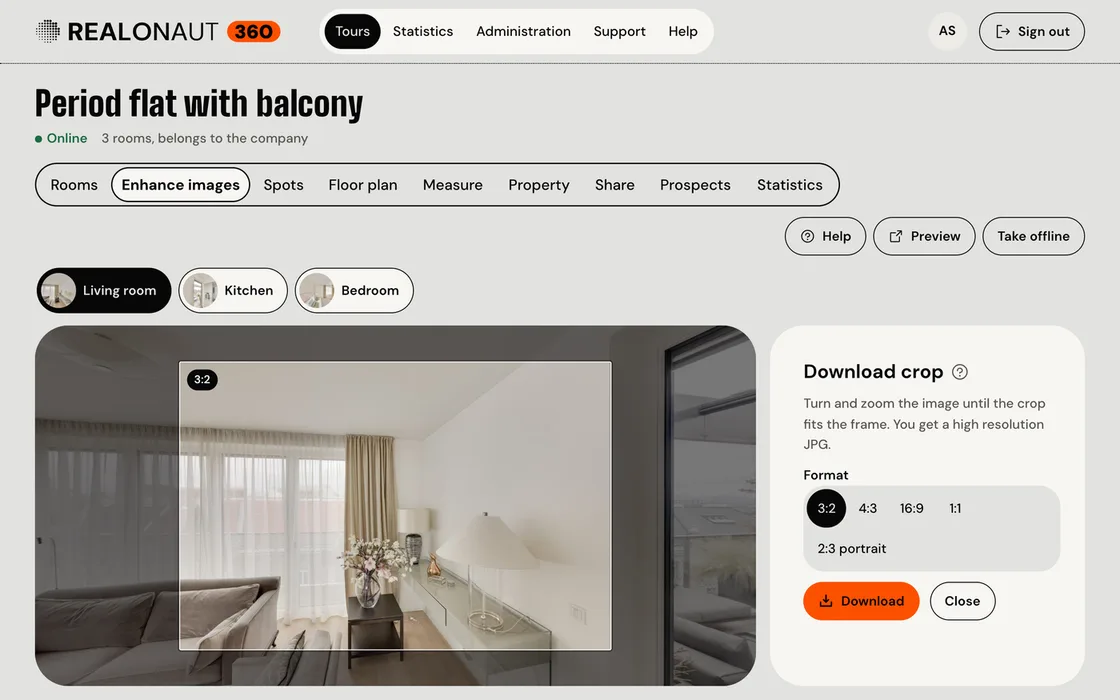
Cut a normal high-resolution photo from any room, in 3:2, 4:3, 16:9, 1:1 or portrait format. One visit, two results.
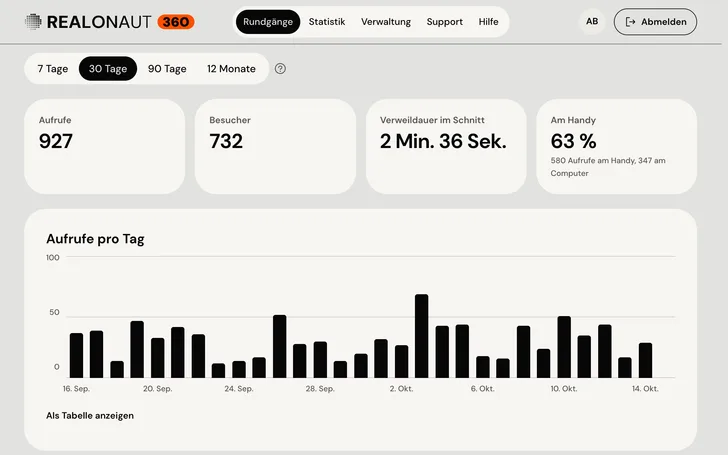
Owners want to see that something is happening with their property. A tour makes your work visible, right from the first meeting.
The features are the same in every paid plan. The difference is how many tours are online, how many users and teams you need and whether you want a custom domain.
Swipe for Solo, Team and Office
To try it out
€0no time limitNo credit card
For independent agents
€29net per monthNo commitment
For small offices
€69net per monthNo commitment
For offices with several teams
€129net per monthNo commitment
For large companies and networks
On requestOwn contract
REALONAUT 360 is a service for businesses. Free comes without your own branding and without locked rooms. You start for free and switch to Solo, Team or Office in your account as soon as you need more. Cancel monthly. Pay by card, Apple Pay or Google Pay. Prices are in euros. All prices exclude VAT. Companies in Austria pay 20% Austrian VAT on top. Companies in other EU countries with a valid VAT ID pay no Austrian VAT (reverse charge). Paid plans require a valid VAT ID from an EU country; outside the EU on request.
No 360° camera yet? Order one from a retailer and try it out. If you don’t like it, send it back within the return period. Until then, a ready-made sample tour is waiting in your free account, so you can try everything.
REALONAUT 360 accepts photos from any 360° camera that saves JPG files with a 2:1 aspect ratio. If the windows are blown out, the editor suggests an HDR shot.
Getting your tour right
Our camera tips
Prices incl. VAT according to an Austrian price comparison site, as of October 2026.
REALONAUT 360 is the third version of our platform. New features are suggested by estate agents: photos for your listing, sharing with a preview image, access codes that send themselves.
Back in 2017, Der Standard and Trending Topics reported on REALONAUT (in German).
By using 3D tours with REALONAUT, we save a great deal of time in marketing and at the same time offer our vendors an additional service that convinces. […] Thanks to a short training session, creating them is child’s play, and if questions do come up, the REALONAUT support team is there to help quickly and competently.
One tour online is free. Solo costs €29, Team €69 and Office €129, each net per month. The features are the same in every paid plan, and the Free plan comes without your own branding and without locked rooms. Otherwise the plans differ in how many tours are online, how many users and teams you create and how many custom domains you use.
Yes, with no time limit and no watermark. One tour is online, and you can create up to three. You don’t need a credit card. As in Solo, Team and Office, the tour shows a small note “created with REALONAUT 360”.
No. Every free account comes with a ready-made sample tour for you to try everything. It doesn’t count towards your tours.
No. With a 360° camera on a tripod, you take the shots yourself. From the same shots, you can also crop regular photos for your listing in the editor.
A tour is online once you have published it and it can be seen via its link or embed. Tours that aren’t online at the moment are stored for you free of charge.
Monthly, with no commitment, at the end of the billing month. Your account then continues on the Free plan. Tours above the limit go offline, additional users are locked and add-ons end. Nothing is deleted.
By card, Apple Pay or Google Pay. Prices are in euros. All prices exclude VAT. Companies in Austria pay 20% Austrian VAT on top. Companies in other EU countries with a valid VAT ID pay no Austrian VAT (reverse charge). Paid plans require a valid VAT ID from an EU country; outside the EU on request.
With Solo, Team and Office, you can book add-ons in your account, each with 10 more tours online for €19 net per month. Add-ons do not include users or teams; for those, switch to the next plan. Up to 20 add-ons, and they move with you when you change plans.
Yes, from Team under your own subdomain such as 360.yourcompany.com, at no extra cost. Team includes one domain, Office three. Each domain shows all of the company’s tours or only those of one team.
Servers and backups are located in the EU, in Germany. The statistics count views without cookies and without storing IP addresses. You can protect your account with a second factor, with a code by email or from an app.
No. A 3D model needs an expensive depth camera, so we stick with 360° photos from any common camera. Instead, the floor plan shows where visitors are standing and which way they are looking. Your property brochure comes from your estate agency software, and the key facts sit in the sidebar right next to the tour.
They stay online and belong to the company. You can hand them over to colleagues; the link and embed stay the same.
Photograph the next flat with your 360° camera and send out the tour the same day.
1 tour free · no credit card · no commitment · from €29 net per month
We take you through the editor and a tour live on screen and answer your questions. You don’t need to prepare anything.
Choose a time
All times are Vienna time.
Loading available times …